Documentation Index

Fetch the complete documentation index at: https://docs.trezu.org/llms.txt

Use this file to discover all available pages before exploring further.

Confidential treasuries run on a private shard on NEAR, so assets need to be bridged from public blockchains to the private shard through near.com. For teams that want to manage the bridging process themselves, this guide explains how to fund a confidential treasury through near.com.
If you do not want to interact with near.com or manage private accounts, Trezu can handle the bridging process for you automatically.Simply use the Deposit button in your confidential treasury’s dashboard to generate a temporary deposit address, then send the funds from any external wallet to that address.Remember that temporary deposit addresses are single-use and remain valid for 72 hours, so make sure to create a new one if the address expires before you send the funds.

Moving Funds into near.com

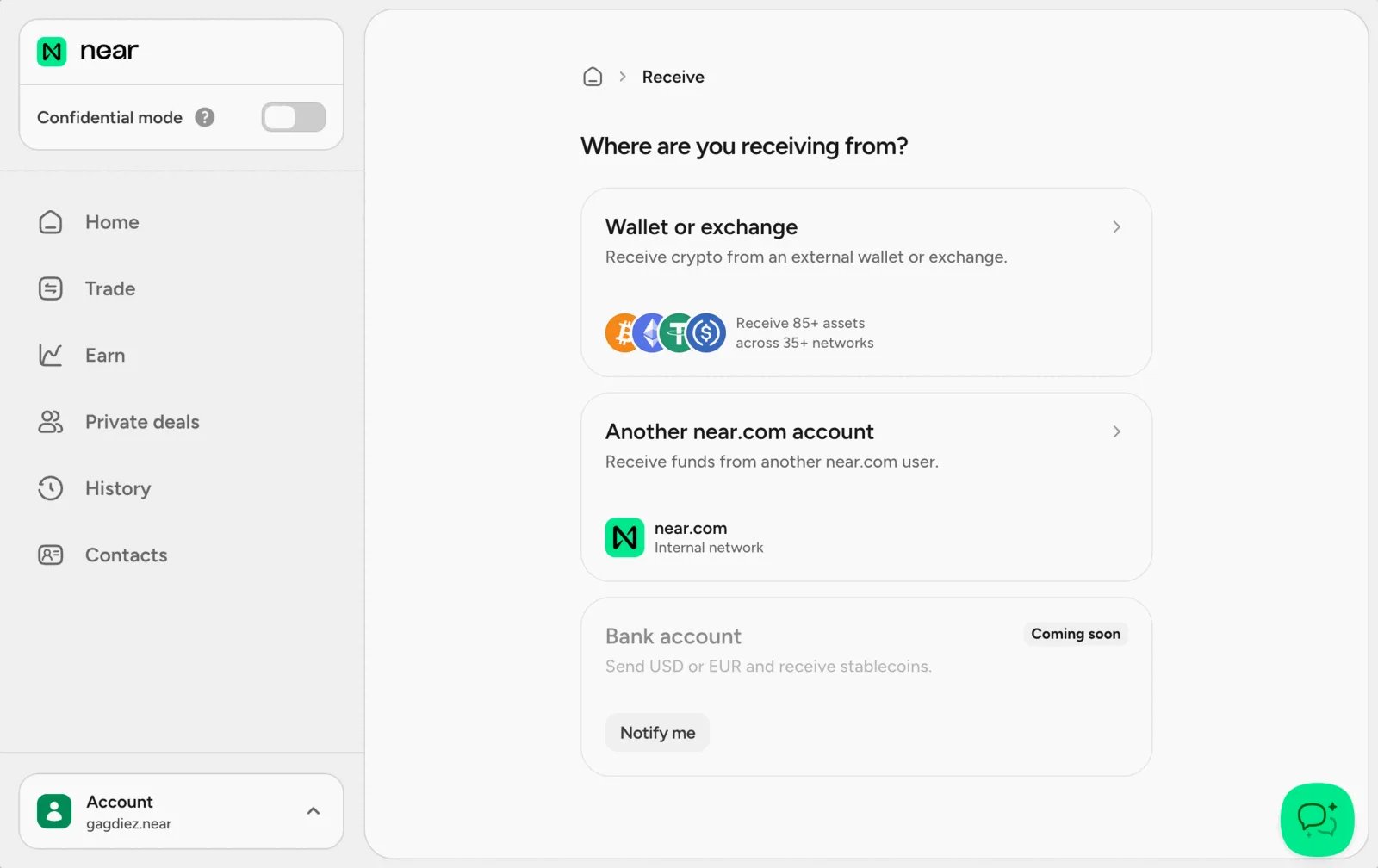
Navigate to near.com and connect with any of the supported wallets. Once connected, you will see the main dashboard where you can deposit and manage your assets. near.com dashboard Use the Receive option to deposit funds into your main near.com balance. Receive funds screen In this example, we want to deposit some USDC from the NEAR wallet we used to log in, so we will select “Wallet or Exchange” as the source and deposit directly from that wallet.
near.com allows you to log in with multiple wallets across different chains and supports multiple popular assets.You can also deposit funds into your near.com by direct transfer from any external wallet.
Deposit funds screen

Transferring Funds to the Confidential Treasury

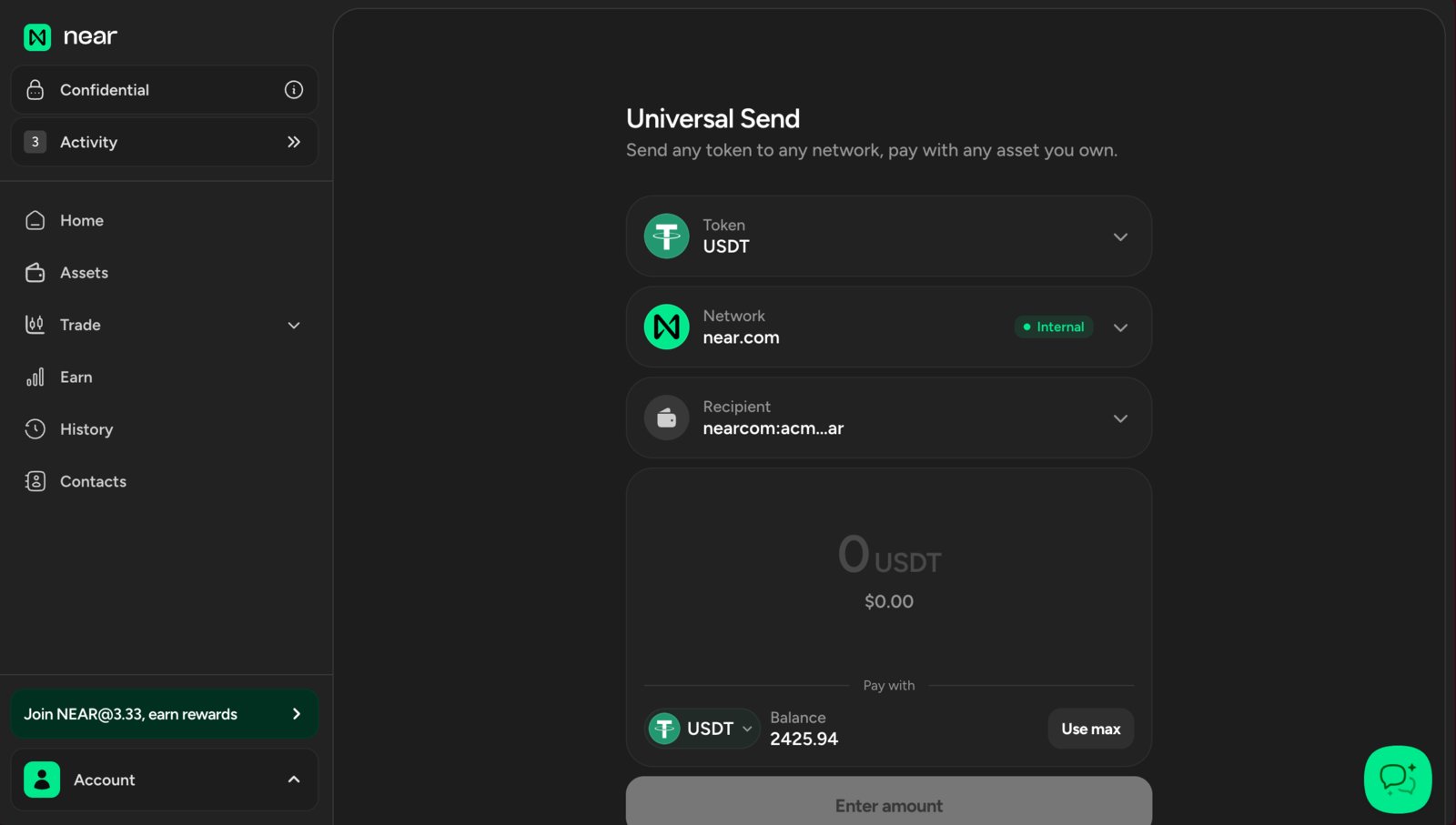
Now that the funds are in your main near.com balance, the next step is to move them into your confidential balance. Use the top-left switch to enable confidential mode, then click Transfer. This moves the funds from your main near.com balance to your confidential near.com balance. confidential mode enabled Select To Confidential, then choose which token and how much of it you want to transfer into your confidential balance. Transfer to confidential account Once that transfer is complete, go back to the home screen and send the funds to the treasury. Click Send and select another near.com account as the destination. Sending funds to another near.com account
As confidential treasuries are deployed on near.com’s private shards, they are effectively near.com accounts.Make sure to select another near.com account on the Send screen. If you send the funds anywhere else, they will not arrive in the confidential treasury.
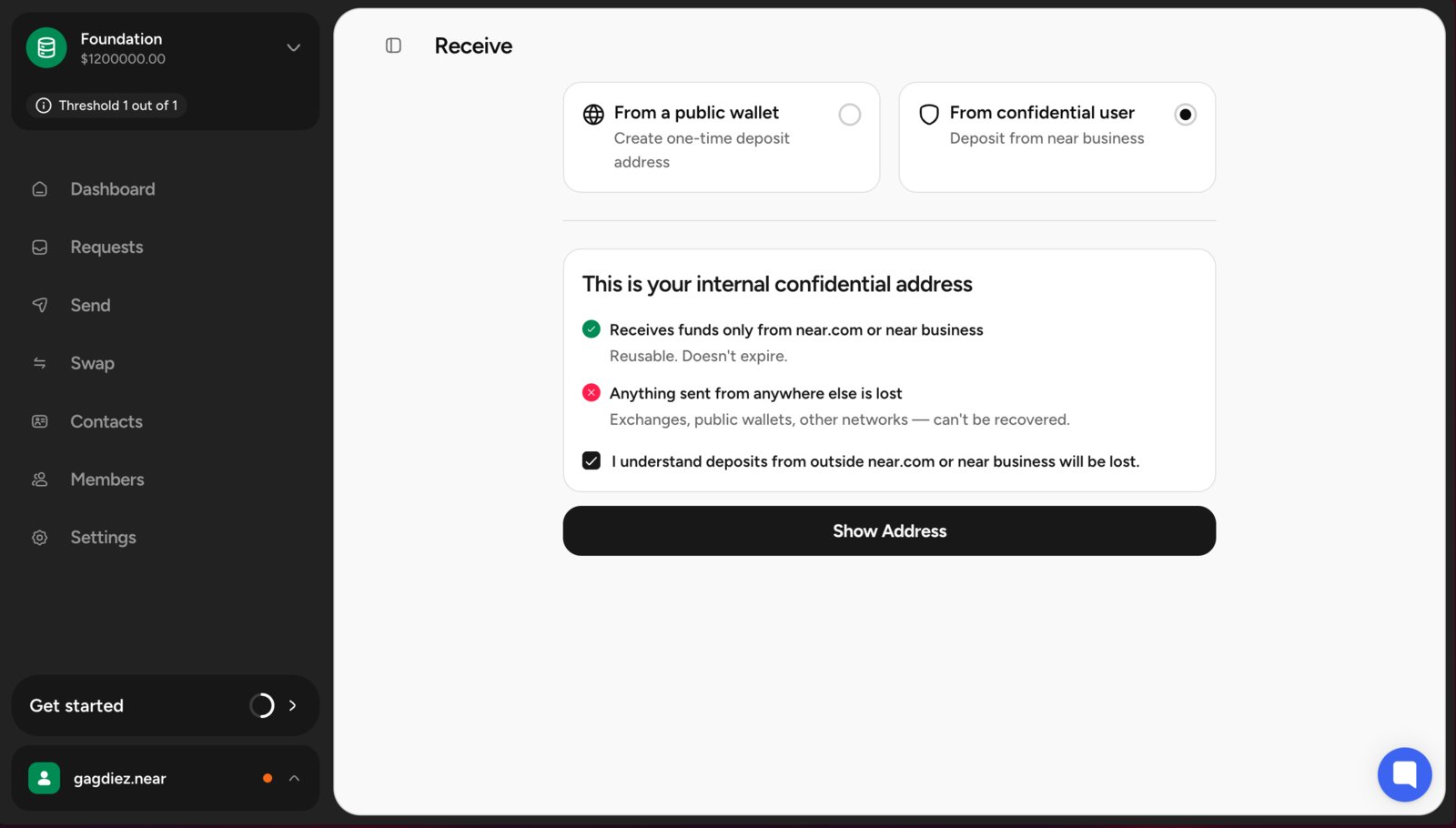
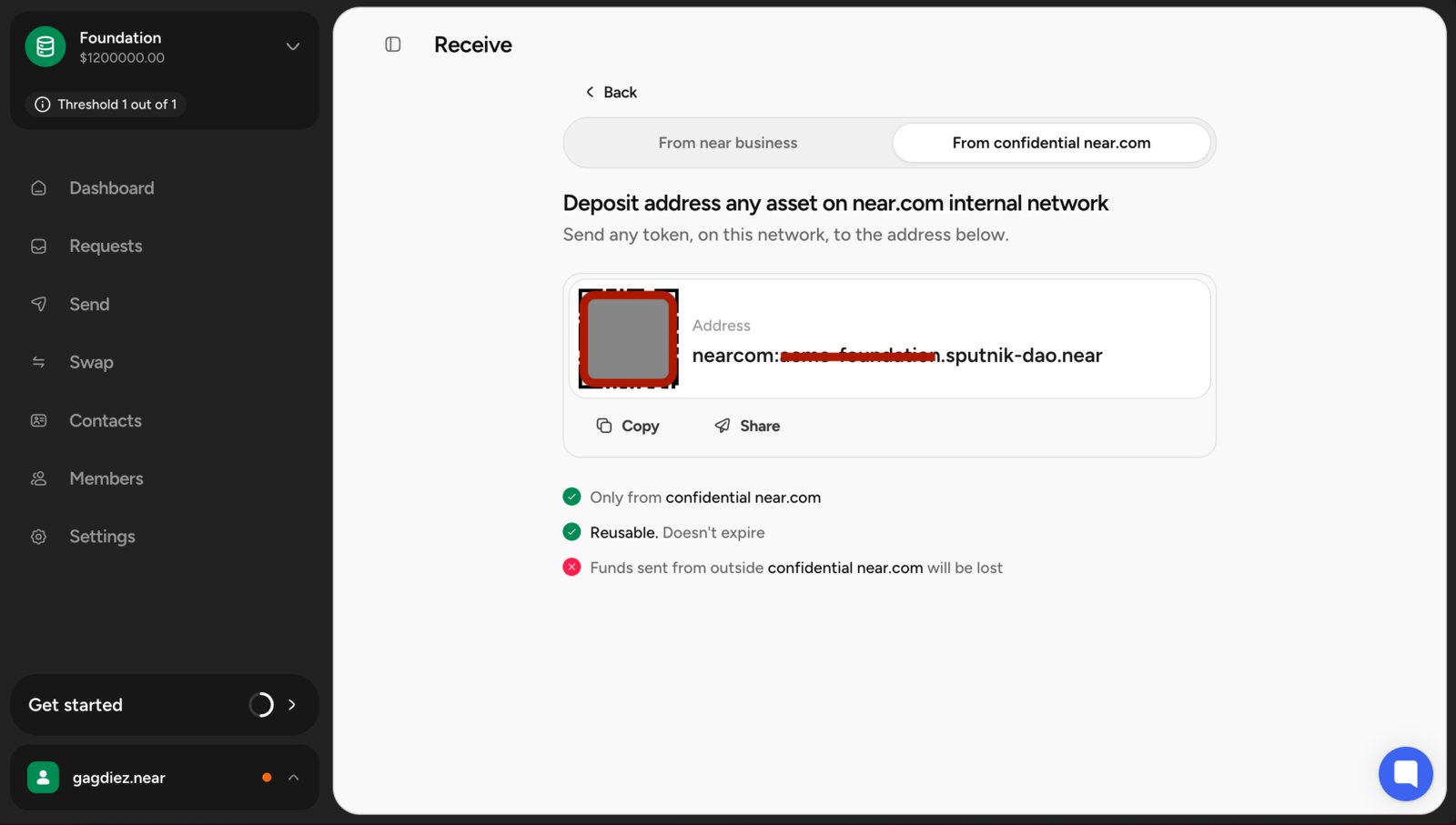
Select the token you want to send and enter the treasury’s account ID as the destination. You can find the treasury’s account ID by using the Deposit button in your private treasury’s dashboard. getting address from trezu
Make sure to copy the correct account ID, remember that confidential treasuries can only receive funds from near.com accounts.
Confirm the transfer. Once it completes, you will see the funds in your confidential treasury’s dashboard, ready to use for payments and swaps. deposit completed At this point, the treasury is funded and ready for confidential payment and swap proposals. confidential treasury dashboard