

Bulk Payment Request
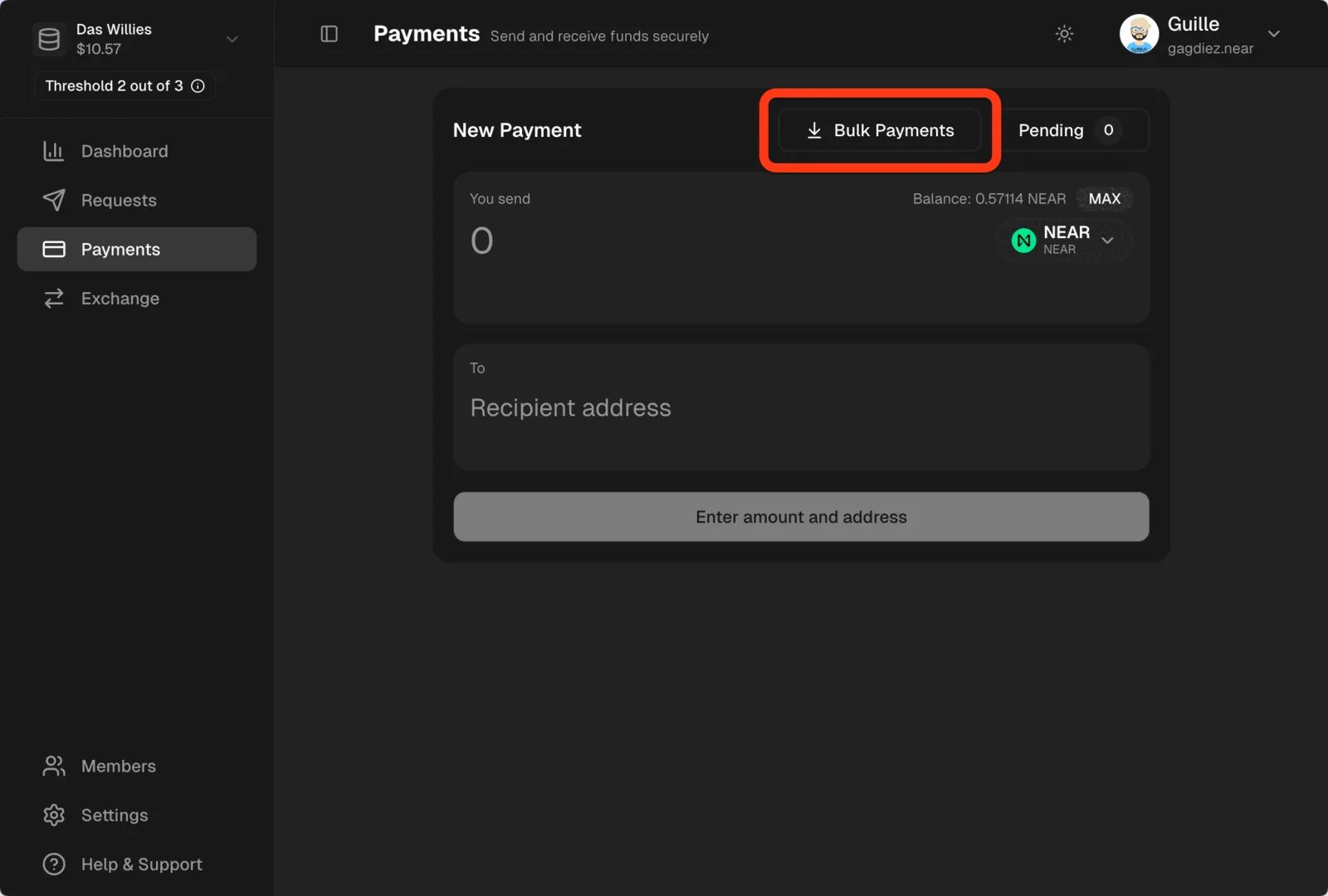
Navigate to thePayments section in the left sidebar, then click Bulk Payments.
.csv file with the information.
Bulk Payment Format
Bulk Payment Format
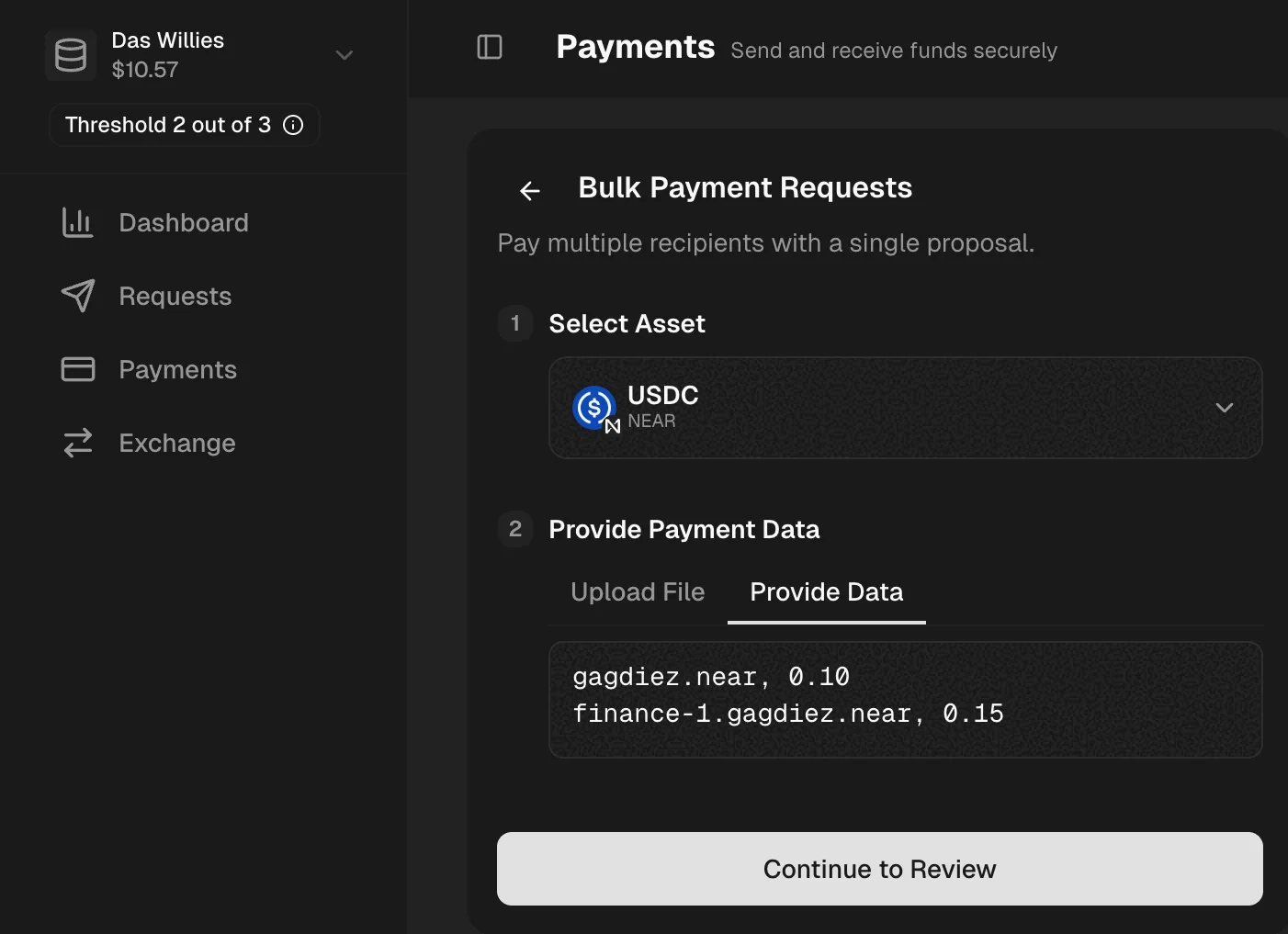
The expected format is a list of recipients with their wallet address and the amount to be paid, e.g. if we want to pay Or download our template and fill in the payment details, then upload the file in the Upload File section.
10.50 USDC to alice.near and 21.34 USDC to bob.near, you can manually provide the payment data in the Provide Data section as follows:Reviewing the Request
Make sure to review the bulk payment request before submitting it. You can also add a comment to provide more context to the approvers.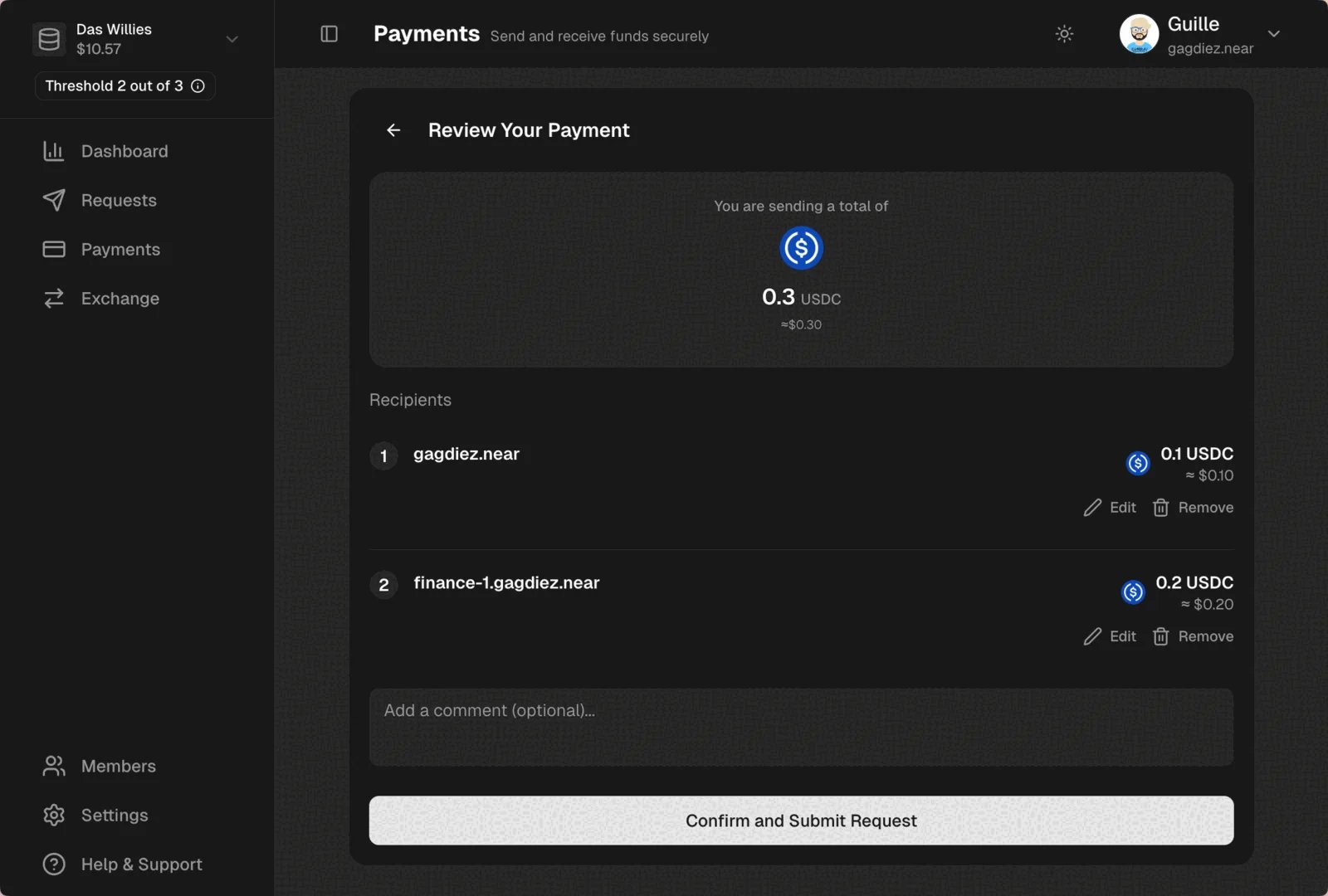
What’s Next?
After submitting the payment request, it will be ready for the Finance team members to review and vote on the request.Head to Handling Payment Requests to learn how to review and vote on payment requests.