> ## Documentation Index
> Fetch the complete documentation index at: https://docs.trezu.org/llms.txt
> Use this file to discover all available pages before exploring further.
# Stake Delegation
> Stake your treasury's tokens to earn rewards
Trezu allows you to stake your treasury's tokens through third-party services, so you can earn rewards while keeping your funds secure.
Confidential treasuries cannot stake their tokens, as staking is an inherently public operation.
***
## Staking
Navigate to the **`Earn`** section in the left sidebar. You will see a list of third-party services; select the one you want to use to stake your tokens.
You can stake your NEAR tokens through Trezu's [NEAR Staking portal](https://near-staking.trezu.org/).
You can earn yield on your USDC and USDT tokens through [Rhea Finance](https://x.rhea.finance/en/earn).
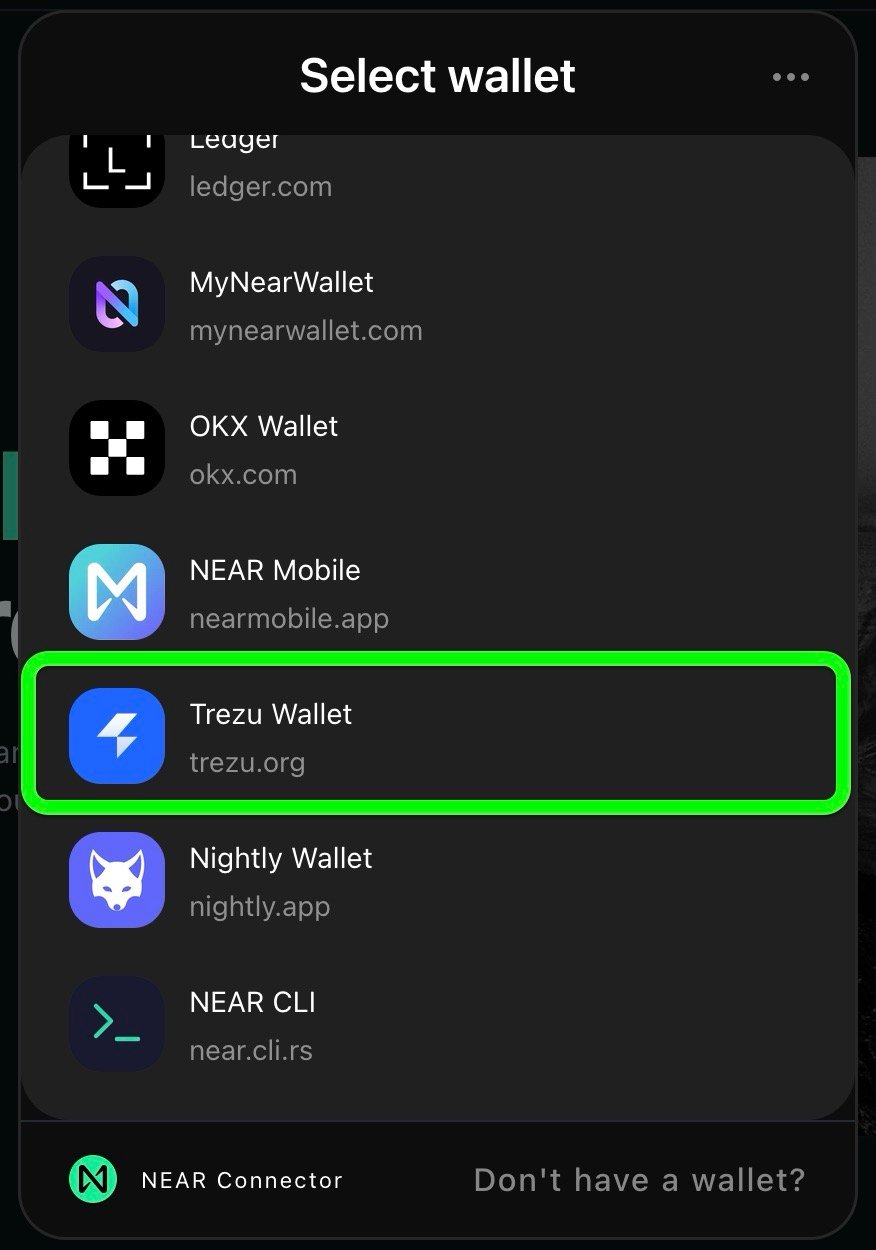
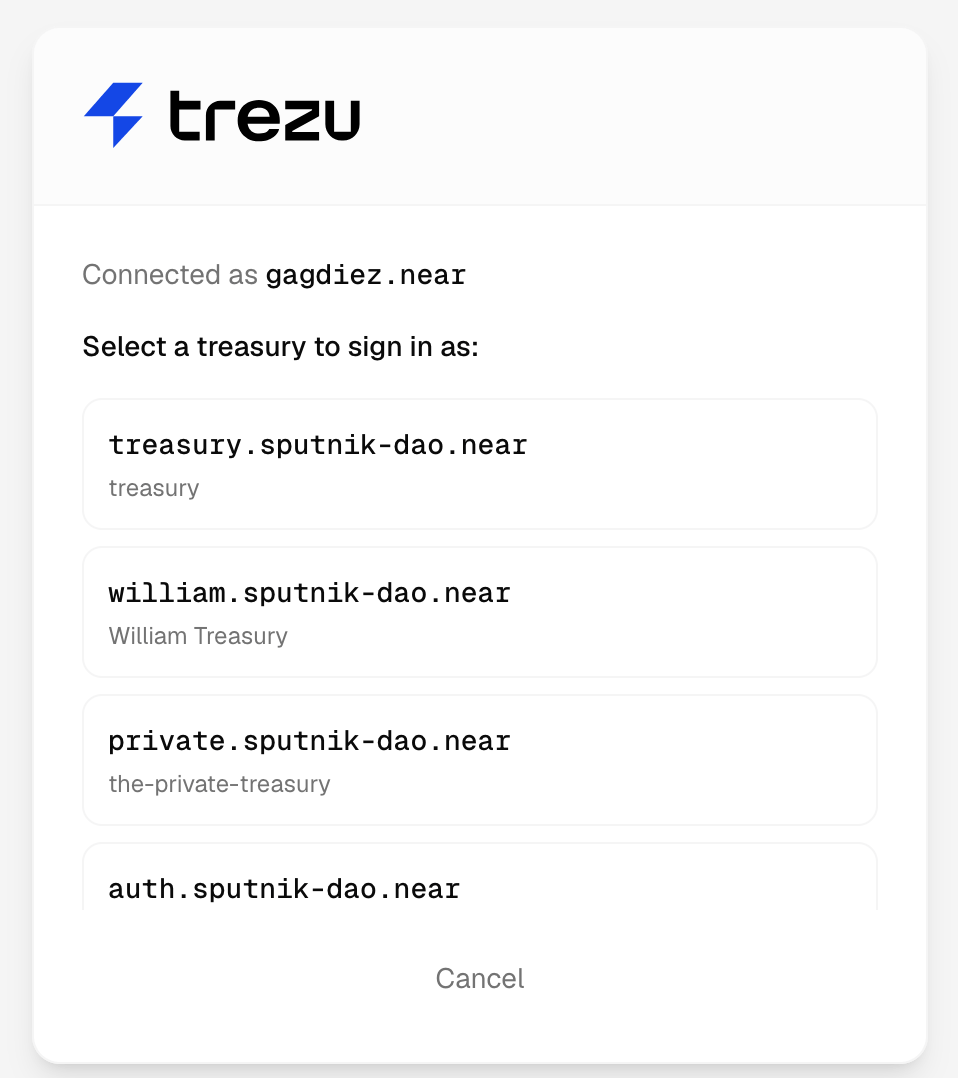
Connect your treasury to the service by selecting the Trezu Wallet option. You will be asked which of your treasuries you want to connect.
 Once connected, you can simply interact with the service to stake your tokens.
The Trezu Wallet will automatically translate your actions into proposals for your team to vote on the staking operation.
Once connected, you can simply interact with the service to stake your tokens.
The Trezu Wallet will automatically translate your actions into proposals for your team to vote on the staking operation.
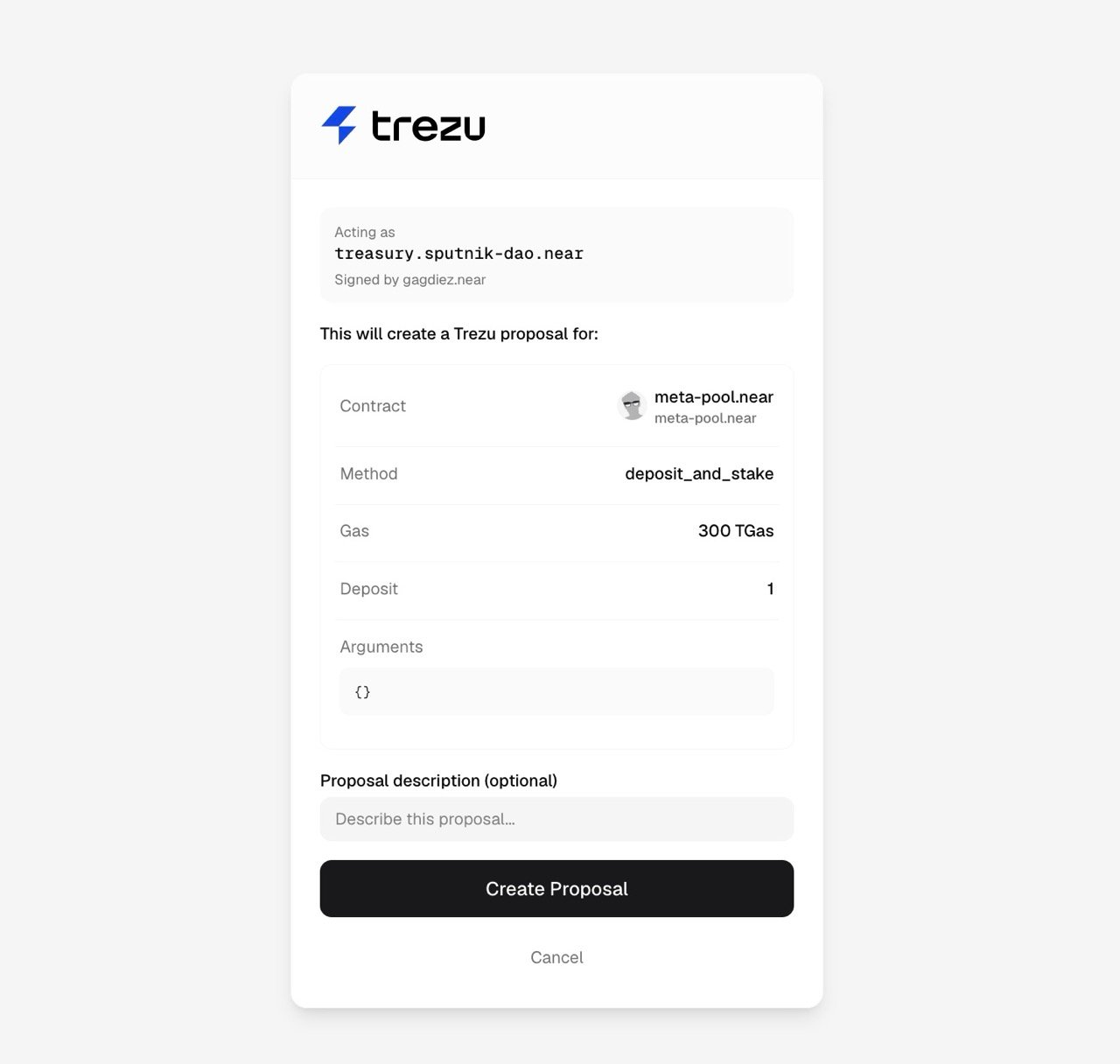 The proposals will be listed in the **`Proposals`** section as `Function Call`, and team members with the [Finance](/governance/members-and-roles#finance) role will be able to review and vote on them.
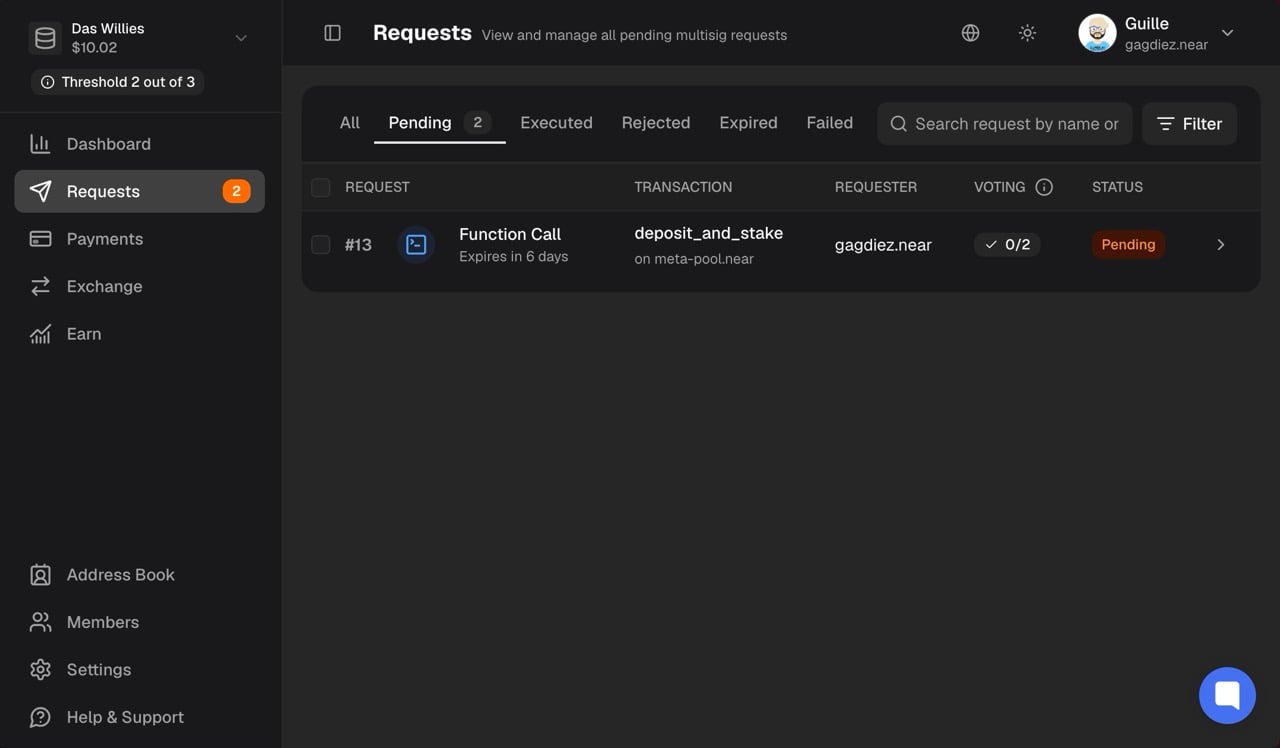 Once approved, the staking operation will be executed automatically by the system, and your tokens will be staked.
***
## Unstaking & Withdrawal
When you want to unstake your tokens, you will need to follow the same process as for staking, but this time you will interact with the service to unstake your tokens.
As with the staking operation, the unstaking and withdrawal operations will be listed as proposals in the **`Proposals`** section, and team members with the [Finance](/governance/members-and-roles#finance) role will be able to review and vote on them.
Withdrawal availability depends on the token. USDC and USDT can be withdrawn immediately, while NEAR has a 24-hour unstaking period before withdrawal.
***
## Need Help?
Do not hesitate to reach out if you have any questions or need assistance with staking your tokens.
This documentation is built and hosted on [Mintlify](https://mintlify.com), a developer documentation platform.
Once approved, the staking operation will be executed automatically by the system, and your tokens will be staked.
***
## Unstaking & Withdrawal
When you want to unstake your tokens, you will need to follow the same process as for staking, but this time you will interact with the service to unstake your tokens.
As with the staking operation, the unstaking and withdrawal operations will be listed as proposals in the **`Proposals`** section, and team members with the [Finance](/governance/members-and-roles#finance) role will be able to review and vote on them.
Withdrawal availability depends on the token. USDC and USDT can be withdrawn immediately, while NEAR has a 24-hour unstaking period before withdrawal.
***
## Need Help?
Do not hesitate to reach out if you have any questions or need assistance with staking your tokens.
This documentation is built and hosted on [Mintlify](https://mintlify.com), a developer documentation platform.