> ## Documentation Index
> Fetch the complete documentation index at: https://docs.trezu.org/llms.txt
> Use this file to discover all available pages before exploring further.
# Proposing Multiple Payments
> Request payments for multiple recipients at once
Besides being able to create [requests for single payments](/payments/single-payment), you can also create bulk payment requests to pay multiple recipients at once.
This is especially useful when you need to pay a large number of recipients with the same token, as it allows you to request all payments in a single request, saving you from having to create them separately.
Payment requests can only be created by team members with the [Requestor](/governance/members-and-roles#requestor) role, and they require approval from team members with the [Finance](/governance/members-and-roles#finance) role before they can be executed.
***
## Bulk Payment Request
Navigate to the **`Payments`** section in the left sidebar, then click **`Bulk Payments`**.
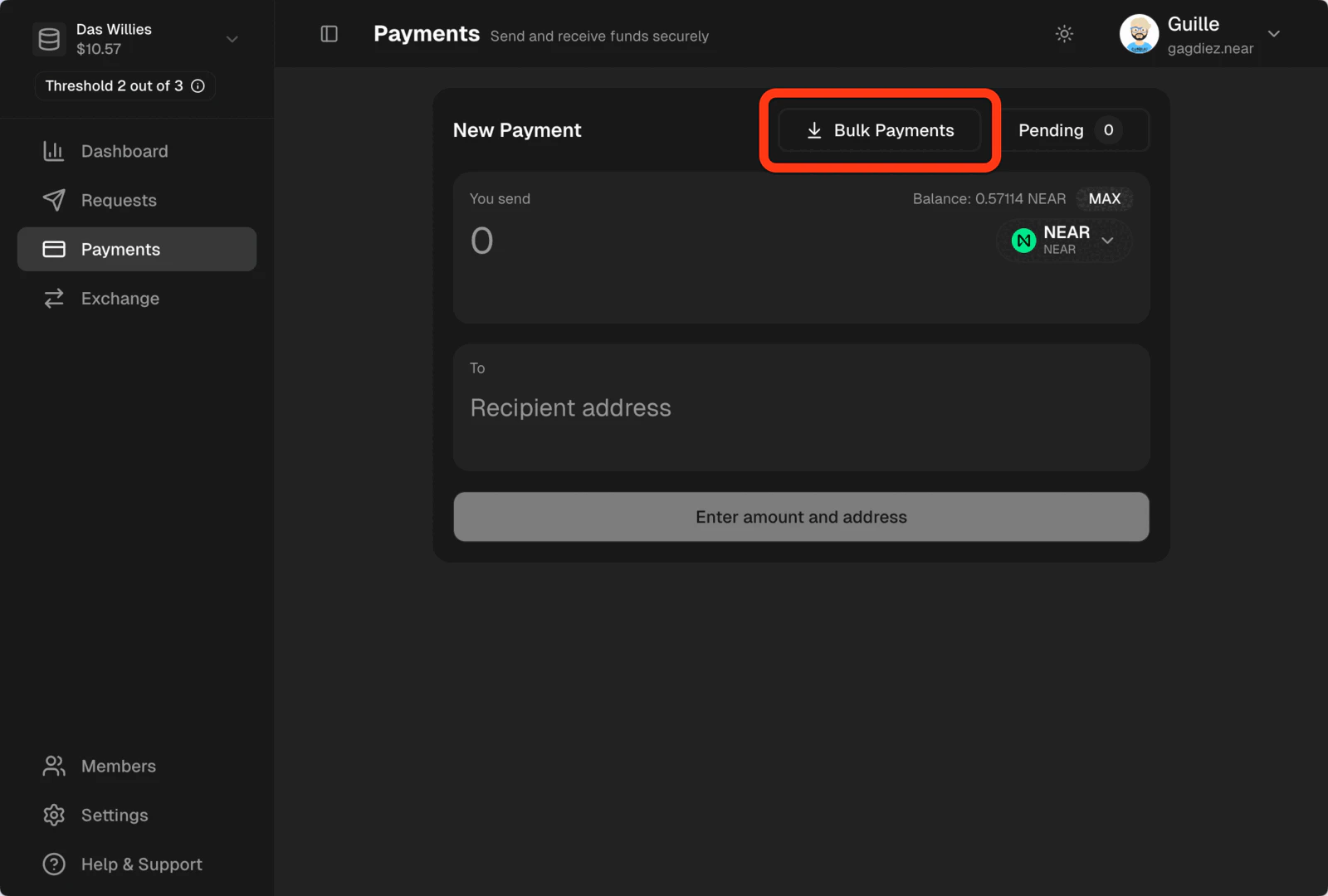 You will need to specify in which token you want to pay the recipients - all recipients will be paid in the same token. Then, you will need to manually enter the payment details for each recipient or upload a `.csv` file with the information.
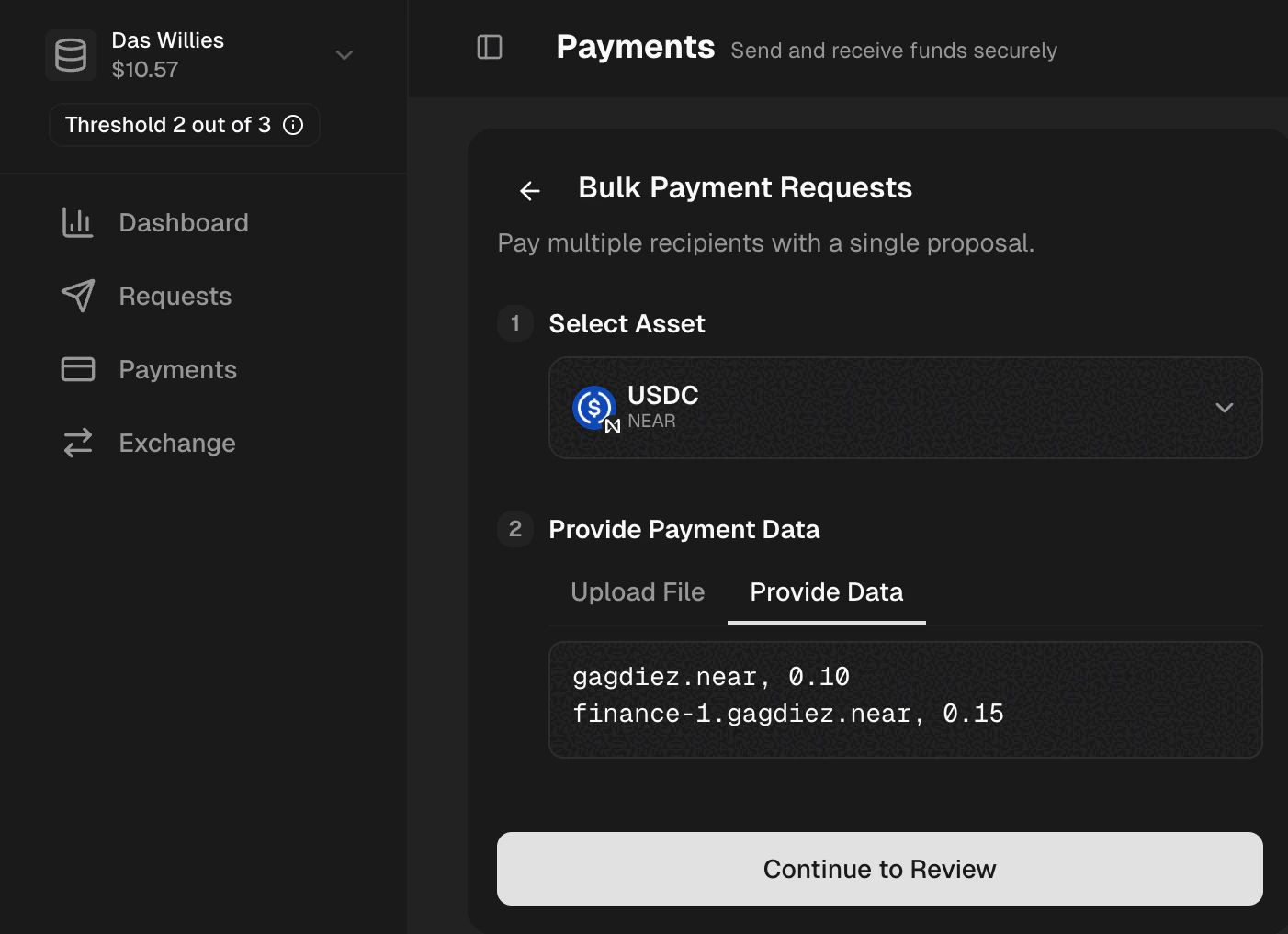
The expected format is a list of recipients with their wallet address and the amount to be paid, e.g. if we want to pay `10.50 USDC` to `alice.near` and `21.34 USDC` to `bob.near`, you can manually provide the payment data in the **Provide Data** section as follows:
```
alice.near, 10.50
bob.near, 21.34
```
Or download our { e.preventDefault(); fetch(e.currentTarget.href).then(r => r.blob()).then(b => { const a = document.createElement('a'); a.href = URL.createObjectURL(b); a.download = 'bulk-payment-template.csv'; a.click(); URL.revokeObjectURL(a.href); }); }}>template and fill in the payment details, then upload the file in the **Upload File** section.
***
## Reviewing the Request
Make sure to review the bulk payment request before submitting it. You can also add a comment to provide more context to the approvers.
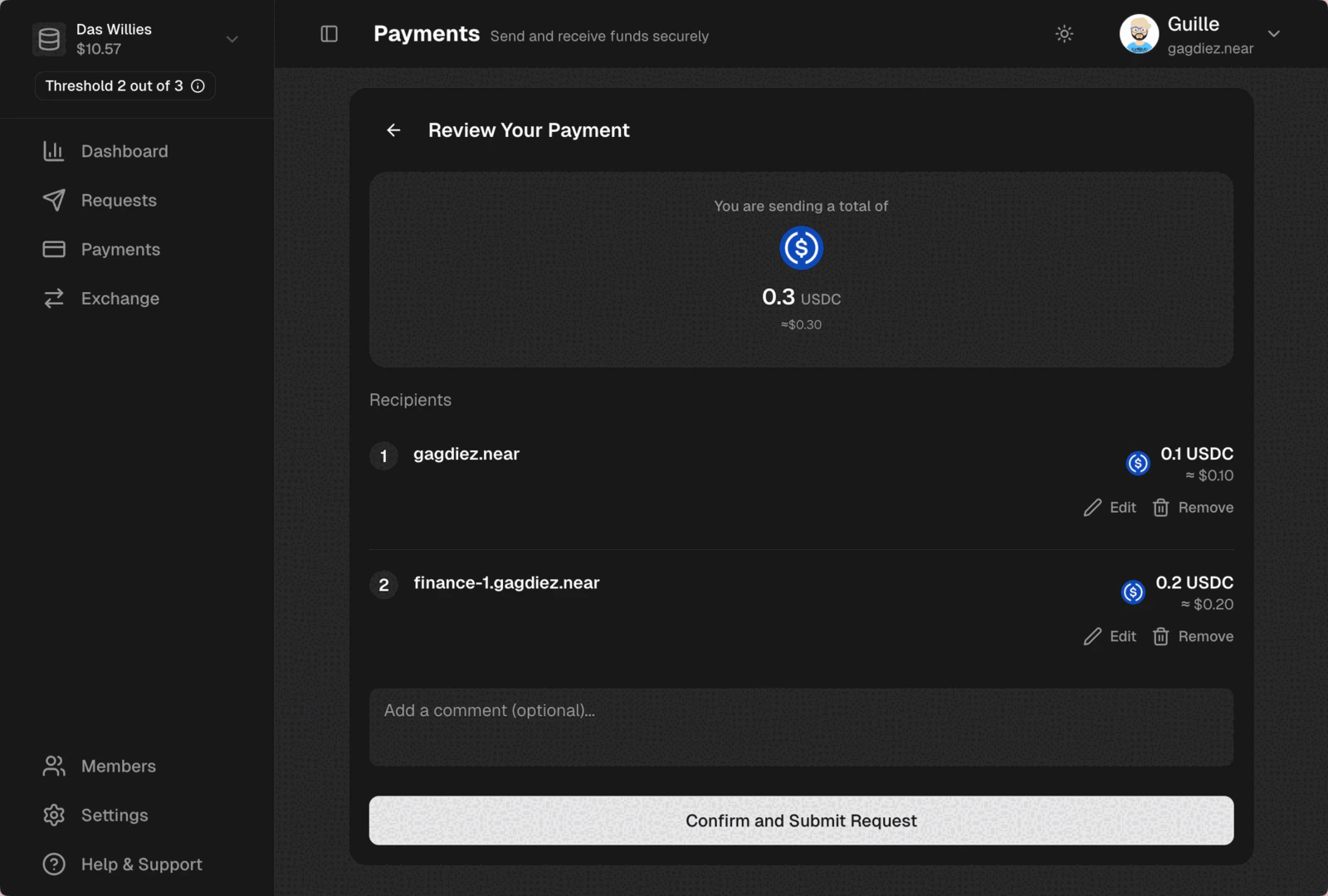 After the bulk payment is approved and executed, you will be able to produce a [receipt](/payments/handling-requests).
Make sure to select the right blockchain and enter the correct wallet addresses, as payments are irreversible.
***
## What's Next?
After submitting the payment request, it will be ready for the [Finance](/governance/members-and-roles#finance) team members to review and vote on the request.
Head to [Handling Payment Requests](/payments/handling-requests) to learn how to review and vote on payment requests.
After the bulk payment is approved and executed, you will be able to produce a [receipt](/payments/handling-requests).
Make sure to select the right blockchain and enter the correct wallet addresses, as payments are irreversible.
***
## What's Next?
After submitting the payment request, it will be ready for the [Finance](/governance/members-and-roles#finance) team members to review and vote on the request.
Head to [Handling Payment Requests](/payments/handling-requests) to learn how to review and vote on payment requests.