> ## Documentation Index
> Fetch the complete documentation index at: https://docs.trezu.org/llms.txt
> Use this file to discover all available pages before exploring further.
# Voting Rules
> Keep your treasury secure through voting rules
When creating a treasury, you will be able to set up the `Voting Threshold` for all requests in the treasury. This voting threshold represents the minimum number of approvals required for a proposal to be approved.
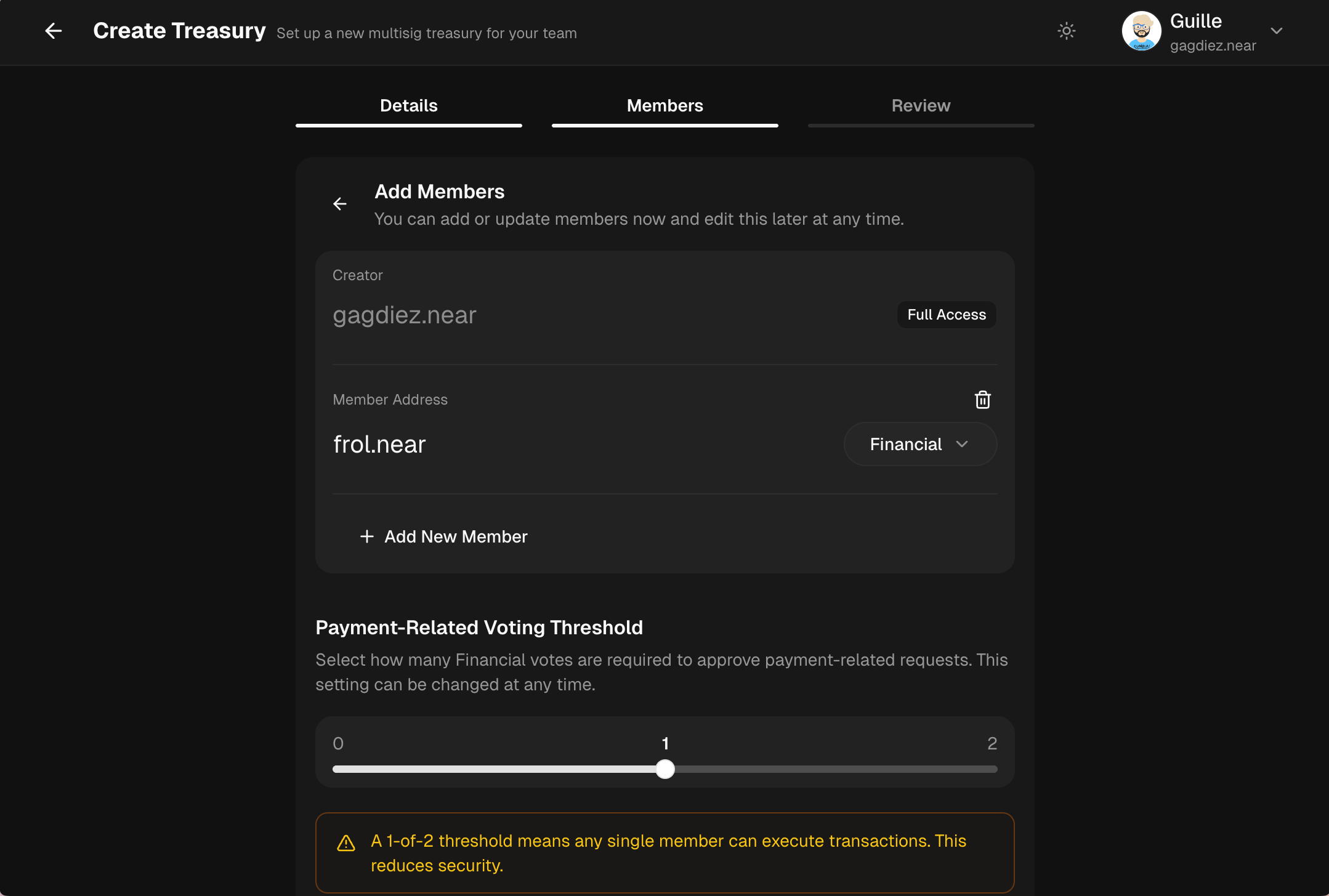 Voting thresholds prevent any single member from acting alone. Proceed with caution when setting up voting thresholds.
***
## Updating Voting Rules
Once the treasury is created, team members with the [Governance](/governance/members-and-roles#governance) role can present proposals to change the treasury's configuration, including its voting thresholds and voting period.
Voting thresholds prevent any single member from acting alone. Proceed with caution when setting up voting thresholds.
***
## Updating Voting Rules
Once the treasury is created, team members with the [Governance](/governance/members-and-roles#governance) role can present proposals to change the treasury's configuration, including its voting thresholds and voting period.
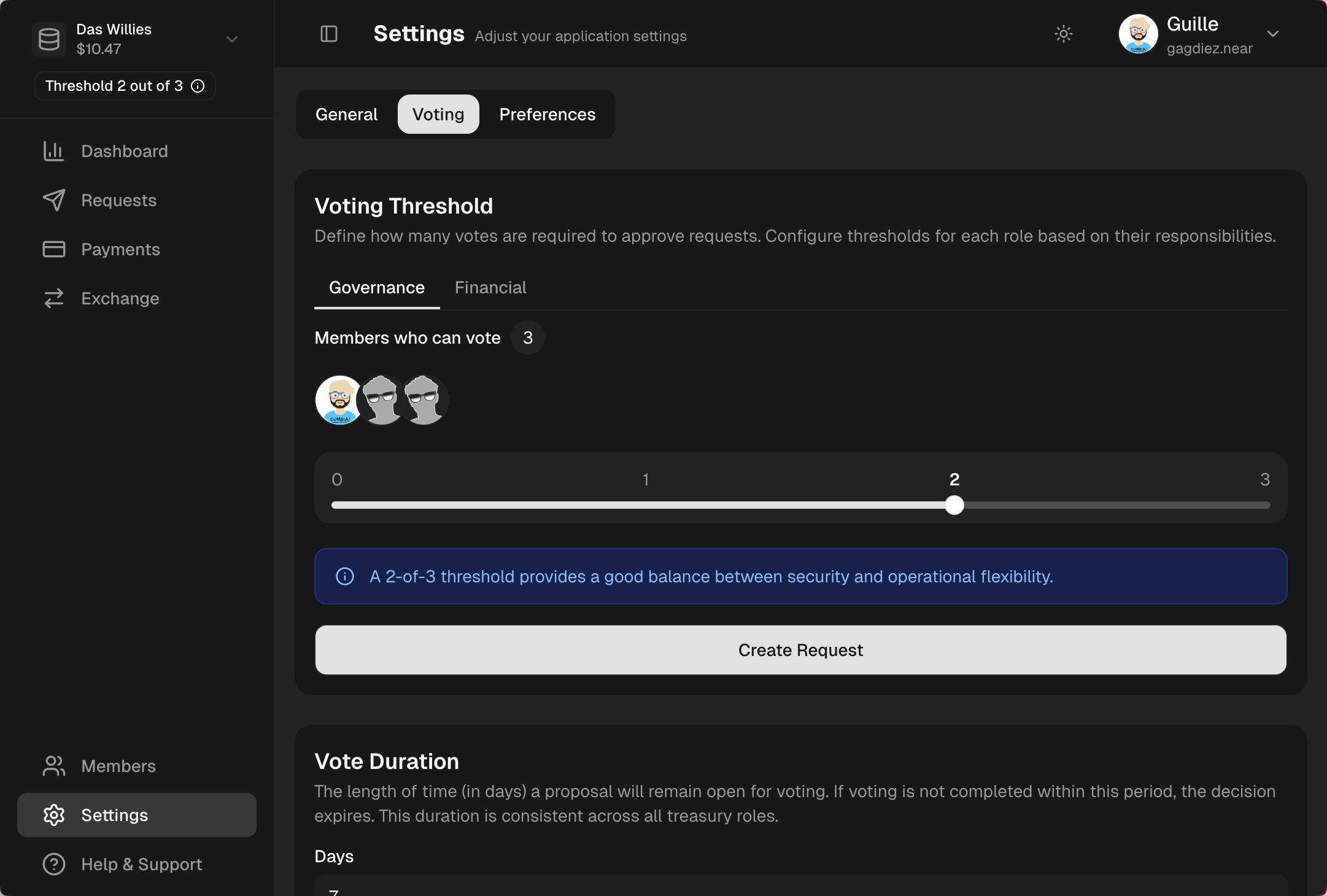 Only members with the [Governance](/governance/members-and-roles#governance) role can create proposals to update the treasury's voting settings.
Governance proposals can change how decisions are made, thus having significant impact on the treasury's security and operations. Do not lower the governance threshold unless necessary. [Read More](/governance/members-and-roles#governance-is-the-highest-trust-role)
***
## Voting Settings Explained
There are two main configurations that can be updated through proposals: [Voting Thresholds](#voting-thresholds), and the [Voting Duration](#voting-duration).
***
### Voting Thresholds
A voting threshold is the **minimum number of votes required for a proposal to be approved**. For example, if the treasury has a voting threshold of 2, it means that at least **2 votes in favor are needed for the proposal to pass**.
Treasuries separately configure voting thresholds for Governance and Finance proposals, which means that the required number of votes for a proposal to be approved can differ based on the type of proposal being voted on.
### Governance Threshold
How many [Governance](/governance/members-and-roles#governance) approvals are required for:
* [Editing Team Members](#)
* [Updating Voting Settings](#)
### Finance Threshold
How many [Finance](/governance/members-and-roles#finance) approvals are required for:
* [Making Payments](#)
* [Swapping Assets](#)
* [Handling Staked Assets](#)
***
### Voting Duration
The voting duration is the **time period during which team members can cast their votes on a proposal**. For example, if the voting duration is set to 3 days, it means that team members will have 3 days to vote on a proposal after it has been created.
If the required number of votes is reached within the voting duration, the proposal is approved and executed immediately. However, if not enough members vote in favor of the proposal within the voting duration, the proposal then expires and is automatically rejected by the system.
In contrast to voting thresholds, which can be configured separately for Governance and Finance proposals, the voting duration is a single setting that applies to all proposals in the treasury, regardless of their type.
***
## What's Next?
After a governance request is submitted, it is ready for team members with the [Governance](/governance/members-and-roles#governance) role to review and [vote on the request](/governance/handling-requests).
Head to [Handling Governance Requests](/governance/handling-requests) to learn how to review and vote on governance requests.
Only members with the [Governance](/governance/members-and-roles#governance) role can create proposals to update the treasury's voting settings.
Governance proposals can change how decisions are made, thus having significant impact on the treasury's security and operations. Do not lower the governance threshold unless necessary. [Read More](/governance/members-and-roles#governance-is-the-highest-trust-role)
***
## Voting Settings Explained
There are two main configurations that can be updated through proposals: [Voting Thresholds](#voting-thresholds), and the [Voting Duration](#voting-duration).
***
### Voting Thresholds
A voting threshold is the **minimum number of votes required for a proposal to be approved**. For example, if the treasury has a voting threshold of 2, it means that at least **2 votes in favor are needed for the proposal to pass**.
Treasuries separately configure voting thresholds for Governance and Finance proposals, which means that the required number of votes for a proposal to be approved can differ based on the type of proposal being voted on.
### Governance Threshold
How many [Governance](/governance/members-and-roles#governance) approvals are required for:
* [Editing Team Members](#)
* [Updating Voting Settings](#)
### Finance Threshold
How many [Finance](/governance/members-and-roles#finance) approvals are required for:
* [Making Payments](#)
* [Swapping Assets](#)
* [Handling Staked Assets](#)
***
### Voting Duration
The voting duration is the **time period during which team members can cast their votes on a proposal**. For example, if the voting duration is set to 3 days, it means that team members will have 3 days to vote on a proposal after it has been created.
If the required number of votes is reached within the voting duration, the proposal is approved and executed immediately. However, if not enough members vote in favor of the proposal within the voting duration, the proposal then expires and is automatically rejected by the system.
In contrast to voting thresholds, which can be configured separately for Governance and Finance proposals, the voting duration is a single setting that applies to all proposals in the treasury, regardless of their type.
***
## What's Next?
After a governance request is submitted, it is ready for team members with the [Governance](/governance/members-and-roles#governance) role to review and [vote on the request](/governance/handling-requests).
Head to [Handling Governance Requests](/governance/handling-requests) to learn how to review and vote on governance requests.